INFOnline Measurement – documentation for developers
This is the technical documentation for integrating INFOnline measurement. Pick what you want to measure.
Website
Measurement via the INFOnline Measurement Manager – one snippet in your source code, everything else through variables.
Consent and TCF
How consent reaches the measurement system – automatically through a TCF 2.x CMP, or passed manually.
iOS app
Integrating the INFOnline library into a native iOS app, via Swift Package Manager, CocoaPods or manually.
Android app
Integrating the INFOnline library into a native Android app via Maven.
Hybrid app / webview
An app with web content: one measurement across the app library and the web sensor together.
Verify your measurement
Check that measurement requests arrive and look right – before the data goes into reporting.
Retrieve data
Fetch your metrics programmatically. The full endpoint reference is available as a Swagger UI.
ÖWA / Austria
Specifics for participants in the Austrian reporting.
No site ID yet?
Site ID, measurement domain and ordering the service platform go through INFOnline, not through this documentation. Those steps are described under Ordering and services. This documentation assumes you already have your site ID and domain service name.
How the measurement system is built
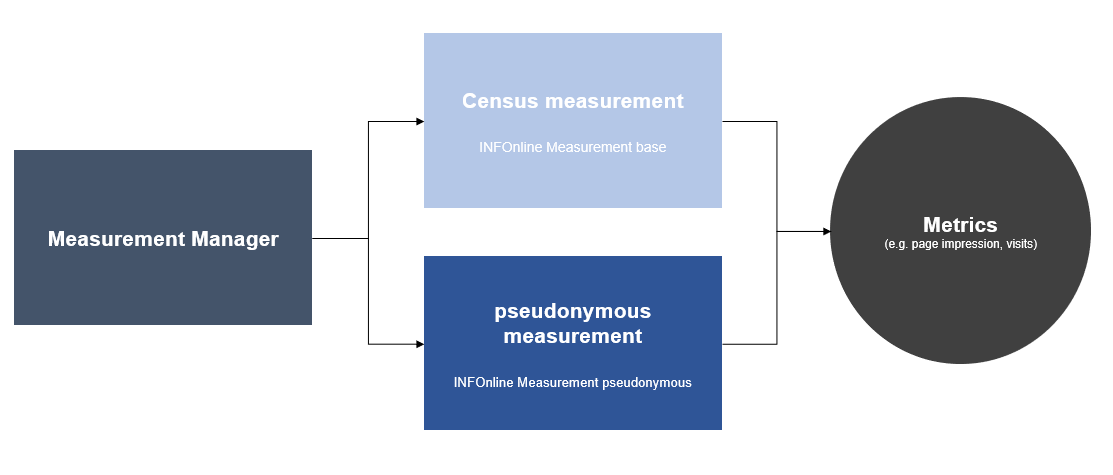
By default you collect your metrics without cookies and without requiring consent. If you want more metrics, the measurement system can be extended through variables.
Further reading